Real time live traffic for MSFS and Prepar3D
Pros!
- Real time live traffic injection, approx. 30 seconds delay,
- works quite different from other AI traffic programs, while PSXTraffic does not use the AI engine of your Simulator, but mirrors the exact positions of live aircraft
- can support up to 100 frames per second
- aircraft are always exactly where the real live aircraft are, hence they:
- depart from the real live gate and park at the real live gate
- take the actual runway in use
- follow the real airways, SIDs and STARs or are vectored (by live ATC)
- may reject a take-off, divert, go-around and are at real live distances from each other
- crab land and crab take-off in heavy cross winds
- works with any AI aircraft model/livery that is compatible with your Simulator:
- AIG, FSLTL, IVAO MTL, FS Traffic, ...
- fully animated: gear, flaps, spoilers, lights, reverse thrust and wheels rotating aligned with sim speed
- matches model/liveries as real as it gets based on registration code (tail-number) and/or airline and type
- knows for about 45900 registration codes of nowadays flying aircraft, the airline, the model, and whether or not it is a cargo plane
- knows for about 26000 registration code the best livery mapping to an AIG aircraft
- matches GA, Fighter aircraft and helicopters too
- matches the right livery for American regional carriers operating for different airlines
- matches the right livery for cargo airlines operating for DHL, FedEx or Amazon
- knows and/or learns on the fly where airlines park, with what model, its registration code, at what time of the day, and at what day of the week
- parks static aircraft of the right airline, type and livery at the right gate at the right hour and day, no empty airports!
- For MSFS it comes out of the box with about 12000 (!) learned airport files and for Prepar3D it has 6600 airport files available, all based on actual traffic data from a recent week
- records where live aircraft parked at your destination airport while you are flying to it; you will find the parked live aircraft at the correct gates when you land, no other AI program can give you this immersion!
- live aircraft are visible in LittleNavMap and in the TCAS of user planes
- no flight plans needed
- works world wide
- works with historic data too (limited to 4 weeks)
- runs as seperate process outside the Simulator, cpu load less than 0.5 percent
- can be used "free of charge"
- Injecting aircraft in a Simulator will have a negative impact on your fps. However, 40+ fps can be easily achieved, even with a middle class PC
- Aircraft follow live ATC, they don't obey programs such as Pilot2ATC, although Pilot2ATC (and PF3) do detect PSXT aircraft and may issue warnings and holds
- The real time traffic data is not included but provided by a payware streaming service named RealTraffic from Inside Systems Pty Ltd.
Choose real immersion, go for real time live traffic!
To give it a try, you could buy a 24 day standard license for RealTraffic, enjoy real traffic and make your own judgement.
If you are already using FSLTL, installation is very simple, PSXT will pick up the FSLTL liveries automatically, it only needs the base models.
Documentation 6.6.0, April 24, 2024
PSXT Quick Start Guide, read this first
PSXT_P3D Quick Start Guide, read this first
List of airports with actual parked traffic data for MSFS, that come with it
List of airports with actual parked traffic data for P3D, that come with it
Download the standalone PSXT version (recommended)
Recommended because it is the easiest and the fastest implementation, working directly with the RealTraffic servers, you still have to buy a RealYTraffic license but the Real Traffic application is not needed.
Use the free LittleNavMap program to see the traffic around you on a map.
(Note that downloading is only needed as a first install, updates go automatically.)
Download the PSXTraffic version for the RealTraffic app
This more complicated version is for users running two or more Simulators at the same time, or users that want to use the Radar screen of the RealTraffic application.
Be aware, this version has no "learn destination" function, as PSXT has.
(Note that downloading is only needed as a first install, updates go automatically.)
FAQ and Forum
If you have a question, check the FAQ first please.
Search for information or post your questions in my forum at AVSIM.
Is PSXT free?
Yes and no, my programs may be used free of charge. However, "free of charge" must not be confused with "completely free". It is copyrighted software, not free software. There are restrictions on distribution and use, read and acknowledge the EULA file when installing the software. A major restriction is that it is for non-commercial use only.
PSXT is free from advertisements. If you like my program, see below a link for donations.

|
This is entirely voluntary, there is no obligation whatsoever. Any donations will be put towards keeping the site hosting going and are received with my gratitude and thanks. |
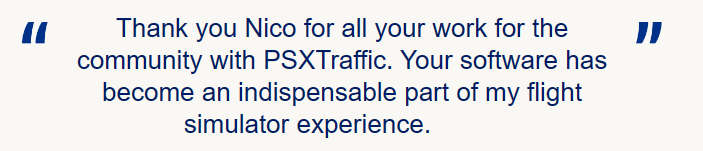
Just some example what people write donating:





And now for something completely different ...
My good old PSXseecon software for building a PSX B744 home cockpit
PSXseecon connects the Aerowinx Precision Simulator version 10 (PSX) with the SIOC software of Opencockpits.
It acts as a bridge between these two worlds, "talking" the Aerowinx Network Protocol over TCP/IP to PSX and "talking" the IOCP protocol over TCP/IP to the SIOC Server. Although both worlds offer a TCP/IP based interface, they speak different protocols, and they are both servers. PSXseecon acts as a client program to PSX and as a client program to SIOC and performs protocol translation.
2502 predefined SIOC variables representing 99% of the functionality of the PSX interface are available. These variables give access to almost all states and controls of the PSX. You can receive information about state changes in the 744 and you can set Buttons, Switches, levers, Throttles, Dials, what have you, in the 744. Everything you need to build a cockpit.
Read more in the PSXseecon Manual.
PSXseecon Release Notes, version 3.37, July 23, 2023
(first release nov 14, 2014 (!)
This document give you lots of examples how to program with SIOC: How to SIOC?
This archive contains lots of exmple SIOC scripts for PSX: SIOC scripts for PSX